AI-Integrated RDP Construction Management

Create a full
RDP/BNG claim
in 60 seconds.

From planning and procurement to claims and subcontractor payments — BuildTrack gives RDP/BNG housing contractors the controls, visibility, and compliance they need on every stand, every day.

Build more. Worry less.
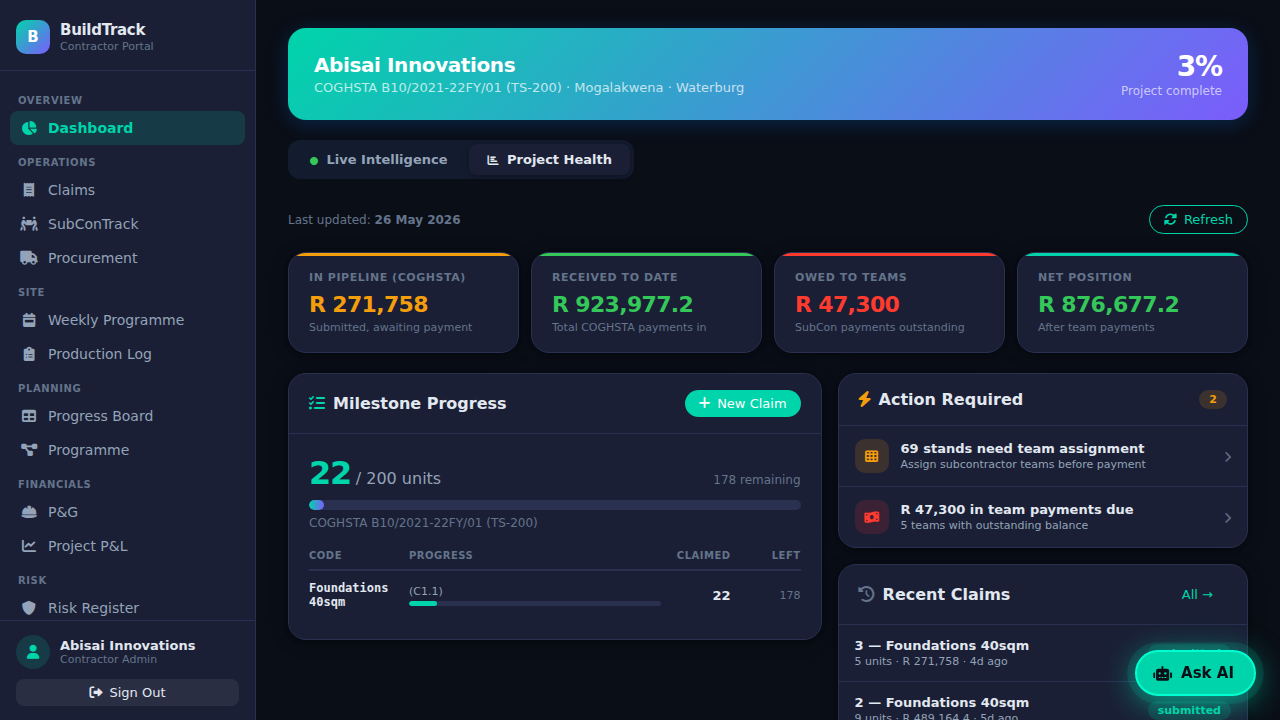
Project Health
Site Manager
Site Manager
Storeman
Storeman
The Real Challenges

Six problems every RDP contractor
faces without the right system.

BuildTrack was designed around these. Every module exists to eliminate one.

01

Claims rejected for non-compliance

A document out of sequence, a missing certificate, or a stand number that does not match. One error rejects the entire pack — and you miss that payment cycle entirely.

02

Missed payment cycles

Funding is released on the 15th and the last day of the month. Submit late or resubmit after a rejection, and you wait until the next payment date — while your costs continue running.

03

Subcontractor overpayment and disputes

Without a single record of what each team was assigned, completed, and paid, double payments and disputes are inevitable. Every payment run becomes a manual reconciliation exercise.

04

Material theft, loss, and mismanagement

Materials arrive on site with no formal record. Stock walks out. Wastage goes unreported. By the time a shortage surfaces, the project is already behind schedule.

05

Poor planning and scheduling

Weekly programmes in WhatsApp. Daily logs in notebooks. No visibility into whether work is on pace, where bottlenecks are forming, or which stands are at risk of missing the next claim.

06

No internal controls

No audit trail for instructions issued. No record of who approved what. No governance over who gets paid, how much, and for what work. When something goes wrong, there is nothing to investigate.

BuildTrack Dashboard
Contractor Admin Portal
Project Dashboard
Active Stands
Awaiting inspection
Claims
This month
Stock alerts
Low levels
P&L position
This contract
The Platform

One system.
Six modules.
Total control.

BuildTrack covers every operational layer of an RDP housing contract — from the first site instruction to the final payment run. No spreadsheets. No WhatsApp groups. No guessing.

Claims compliance, built in

Packs generated to specification, correct document order, every time.

Full subcontractor control

Assign teams, track progress, run payment batches with a complete audit trail.

Materials from delivery to installation

GRNs, stock levels, issuance, wastage — every movement logged and accountable.

AI that flags problems before they happen

Daily risk alerts, procurement analysis, and production pace tracking — powered by Gemini.

Modules

Every tool you need.
Included from day one.

No upgrade tiers. No locked features. All six modules are available the moment you sign up.

Claim Submission
Claim Submission
Claims

Compliant claims. Every time.

Generate fully compliant PDF packs in minutes. Every document, in the required order, ready to submit — with no manual assembly.

Procurement
Procurement
Procurement

Purchase orders to paid invoices.

Raise POs, capture goods received, and match supplier invoices with a 3-way check. No uncontrolled or undocumented spend.

SubConTrack
SubConTrack
Subcontractors

Every subcontractor. Every rand.

Assign teams by trade and milestone. Track what was done, what was paid, and what is still owed — with a full, auditable payment history.

Inventory
Inventory & Stock
Inventory

Materials in. Materials out. Nothing missing.

Record every delivery, every issue, every wastage event. Know your on-hand balance at any point — and get alerted before stock runs out.

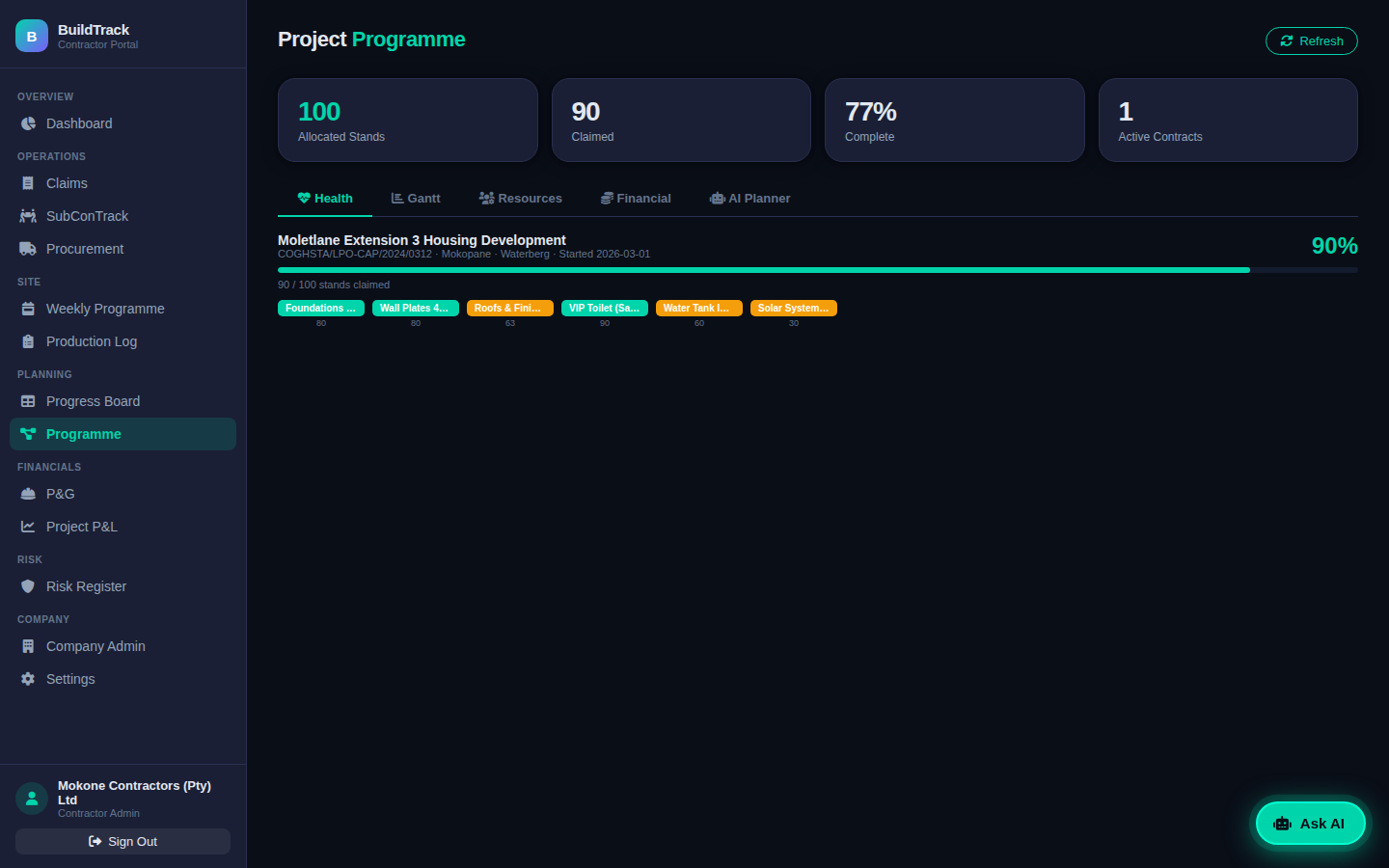
Planning & Programme
Programme

Plan the work. Work the plan.

Weekly programmes, daily production logs, Gantt view, milestone tracking, and financial P&L — all in one place for every contract.

Intelligence Centre
Intelligence Centre
AI Intelligence

AI that watches what you can't.

Daily risk alerts, production velocity analysis, procurement insights, and a plain-English brief on your contract health — powered by Google Gemini.

5
RDP/BNG claim
milestones tracked
per unit
< 1hr
From sign-up to
live claim
submission
15th
and last day of
the month —
government pays
Zero
lock-in — no
contract, no
commitment
✦ Powered by Google Gemini

Your AI project analyst.
Included.

Most construction software tells you what happened. BuildTrack tells you what is about to go wrong — and what to do about it.

Scan & Capture

Point your phone at a delivery note or supplier invoice. AI reads the document and fills the form — supplier, materials, quantities — in seconds.

Risk Alerts

Low stock levels, late claim submissions, unmatched invoices, overdue deliveries — surfaced automatically before they become project-stopping problems.

Procurement Intelligence

Compare supplier pricing against your BOQ, flag over-spending before it compounds, and identify where material costs are eroding your margin.

Site Intelligence Brief

Ask for a plain-English summary of your contract health at any time — stands at risk, pending approvals, payment position, production pace — on demand.

Built for the whole team

Three roles. One system.
Nothing falls through the cracks.

BuildTrack gives your contractor admin, site manager, and storeman dedicated tools — each built for their role, all feeding the same live project data.

Claim generation

A compliant claim pack
in 60 seconds flat.

Select the milestone. Select the stands. Export. BuildTrack compiles the full required document sequence — Inspection Report, Engineer's Certificate, Happy Letter, Claims Check List, Claim Housing Subsidy, Confirmation Signatory, and Status Report — in the correct order, every time. What used to take three hours of paperwork is now one minute.

60
seconds

Contractor Admin

Desktop & mobile

Full visibility across every contract. You approve, review, and control — the system does the paperwork.

  • Generate compliant claim packs in under 60 seconds
  • Track stand progress across all milestones in real time
  • Run subcontractor payment batches with one click
  • Approve weekly programmes submitted by site managers
  • Monitor procurement spend against contract budget
  • Receive daily AI risk alerts on schedule and cash flow
  • Manage your team, suppliers, and engineer profiles

Site Manager

Mobile — works on any phone

Everything your site manager needs, on the phone in their hand — no laptop, no paperwork, no delays.

  • Log daily stand progress per trade from the field
  • Record site deliveries — materials delivered directly to stands
  • Draft and submit weekly programmes for admin approval
  • Assign subcontractor teams to completed milestones
  • View full history of all deliveries recorded on site
  • Stands marked complete automatically move to claim-ready

Storeman

Mobile — works on any phone

Every delivery in. Every issuance out. Stock balance always accurate — no spreadsheets, no guesswork.

  • Receive goods and create GRNs with AI-scanned delivery notes
  • Issue materials to stands — select multiple stands at once
  • Live stock balance per material, updated on every transaction
  • Reason-coded issuances — Installed, Damaged, Lost, Returned
  • Full delivery and issuance history, searchable by village
  • Low-stock alerts triggered automatically before you run out
See it in action

Watch how it works —
two walkthroughs, 60 seconds each.

See the full claim workflow and the AI progress intelligence layer — both running live on a real project.

Claims workflow
Share From site log to compliant claim pack in 60 seconds
AI progress insights
Share AI-powered progress insights across your project
Pricing

30 days free. Then pay as you build.

Full platform access for your first 30 days — no credit card, no commitment. At day 30 choose your tier and pay per milestone per unit only when you generate a claim pack. 30-day credit terms on every invoice.

Claims
R50
per milestone · per unit
  • COGHSTA-compliant claim packs — correct PDF every time
  • Daily Production Log & site tracking
  • Progress Board & Stand Tracker
  • Beneficiary & stand management
  • Pay only when you claim — zero idle cost
Pro
R99
per milestone · per unit
  • Everything in Standard, plus:
  • Procurement — POs, RFQs, GRNs & invoice matching
  • P&G Schedule & live Project P&L
  • Risk Register & automated alerts
  • Weekly Programme & Gantt
  • AI Document Scanner

Print

BuildTrack prints your claim pack — you collect it. No print shop runs, no last-minute scrambles before the submission deadline.

+R49 per milestone · per unit  (e.g. R124/m/u on Standard)

Delivery

We print and physically deliver your claim pack to the COGHSTA provincial offices. Stamped proof of receipt returned via WhatsApp — no 4-hour round trip.

+R50 per file  on top of Print

30-Day Credit Terms

Every claim submission generates an invoice dated that day. Payment is due 30 days later — after COGHSTA has already paid you. No upfront deposits, no monthly commitments.

Standard on all tiers  · invoiced per claim pack
FAQ

Questions we get asked
before the first demo.

How does the claim pack work?
BuildTrack generates the full COGHSTA-compliant claim pack from the data your team already logs daily. Select the milestone, select the stands — the system compiles everything in the required fixed order: Inspection Report, Engineer's Certificate, Happy Letter, Claims Check List, Claim Housing Subsidy, Claim Confirmation Signatory, and Status Report. One PDF, correct sequence, every time. What used to take three hours takes under 60 seconds.
How does the billing work?
Your first 30 days are completely free — full platform access, no restrictions, no credit card required. At day 30 you choose your tier: Claims (R50/m/u), Standard with SubConTrack (R75/m/u), or Pro with the full platform (R99/m/u). Billing starts on your first claim pack generated after that choice. Each claim generates an invoice payable within 30 days — since COGHSTA typically pays within 10–14 days of approval, your BuildTrack invoice falls due after COGHSTA has already paid you. If an invoice is overdue, new claim generation is paused until it is cleared. You always retain read-only access to your full project history regardless of payment status.
Can I use my own engineer's certificate?
Yes. For every claim you choose: let the system generate the certificate from your engineer's profile and ECSA number, or upload your own signed PDF. The choice is per claim — you are never locked into one method.
How does subcontractor payment work?
Once COGHSTA pays your claim, SubConTrack calculates what each team is owed based on the stands they completed and their negotiated rate per trade. You pay individually or in a batch run — the system allocates the oldest claims first and creates a permanent, auditable record of every rand paid. No more end-of-project disputes about who was paid what.
What does the AI actually do?
The AI reads your delivery notes and supplier invoices so your team does not have to type line items manually. It flags low stock before you run out on site, matches invoices to deliveries, and gives you an on-demand summary of project pace and where your bottlenecks are. All AI-extracted records are flagged for your team to verify before saving — nothing posts automatically.
Can my site manager use it on a phone on site?
Yes. The site manager and storeman both have mobile interfaces built for field use — large buttons, simple flows. Site managers log daily progress, assign teams to stands, record deliveries, and draft weekly programmes. Storemen record goods received and issue materials. Any smartphone browser, no app to install. If they can use WhatsApp, they can use BuildTrack.
What tier should I start on?
If you have subcontractors — which most COGHSTA contractors do — start on Standard (R75/m/u). It includes everything in Claims plus SubConTrack, which calculates and records what each team is owed automatically after every claim payment. Claims-only (R50/m/u) makes sense if you run an in-house workforce with no subcontractors to pay. Pro (R99/m/u) adds procurement management, a live P&L, risk register, and programme — typically from project month two once procurement activity picks up.
What does Print and Delivery mean?
Print (+R49/m/u) means BuildTrack prints your claim pack — you collect it and submit yourself. Delivery (+R50/file) means we print it and physically deliver it to the COGHSTA provincial offices on your behalf, returning stamped proof of receipt via WhatsApp. Both are chosen at onboarding. For contractors in Vhembe, Sekhukhune, or Waterberg, the delivery add-on saves a 3–4 hour round trip to Polokwane, twice a month.
Can I manage more than one contract?
Yes. Each contract has its own beneficiary list, claim history, materials ledger, engineer profile, and document set. Your dashboard shows all contracts and you switch in one click. Each contract tracks its own P&L, stand progress, and subcontractor assignments independently. Pricing is per milestone per unit across all contracts — you only pay when work is claimed.
What happens to my data if I stop using BuildTrack?
Your full claim history, stand records, subcontractor payments, and documents remain accessible in read-only mode. You can export your claim packs as PDFs at any time. We do not delete active project data. If you restart on a new allocation cycle, your existing rate sets, team profiles, and engineer details are already set up — you pick up where you left off.
RDP / BNG Contractors

Get an insurance quote — CAR cover and performance guarantees.

COGHSTA requires a 5% performance guarantee and CAR insurance before you can start. We connect you with accredited providers — same day.

Get Insurance Quote →
Get Started Free

Your account is ready in 5 minutes.
No card. No commitment.

Fill in your details below and we'll email you an activation link. Click it, set a password, and you're inside — ready to upload your beneficiary list and submit your first claim.

Please enter your name
Please enter your company name
Please enter a valid email address
Please enter your phone number

Check your email.

Your activation link is on its way to . Click it to set your password and complete setup.